
SurveyEngine includes full integration with the Apollo R package, the globally recognised open-source framework for estimating advanced choice and preference models developed by Stephane Hess and David Palma.
Because experiments are defined directly inside SurveyEngine, Apollo scripts can be generated and run with no configuration.
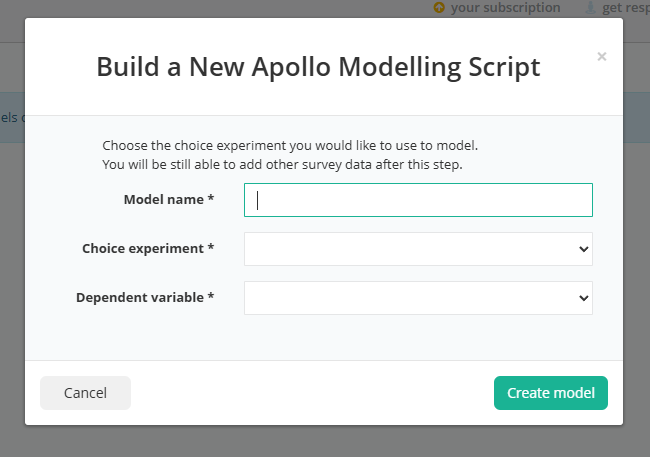
Start by creating a new model within the Analysis tab. A prompt will ask you for the name of the series of models, the experiment - as you may have more than one, and finally the dependent variable - which will typically only be one - unless you are doing a best-worst or ranking style experiment.
Model Script Generation
You'll then be shown a screen with the attributes from your experiment on the left and the apollo script, matching your experiment on the right.
Every change you make in your model specification will update the script on the right.
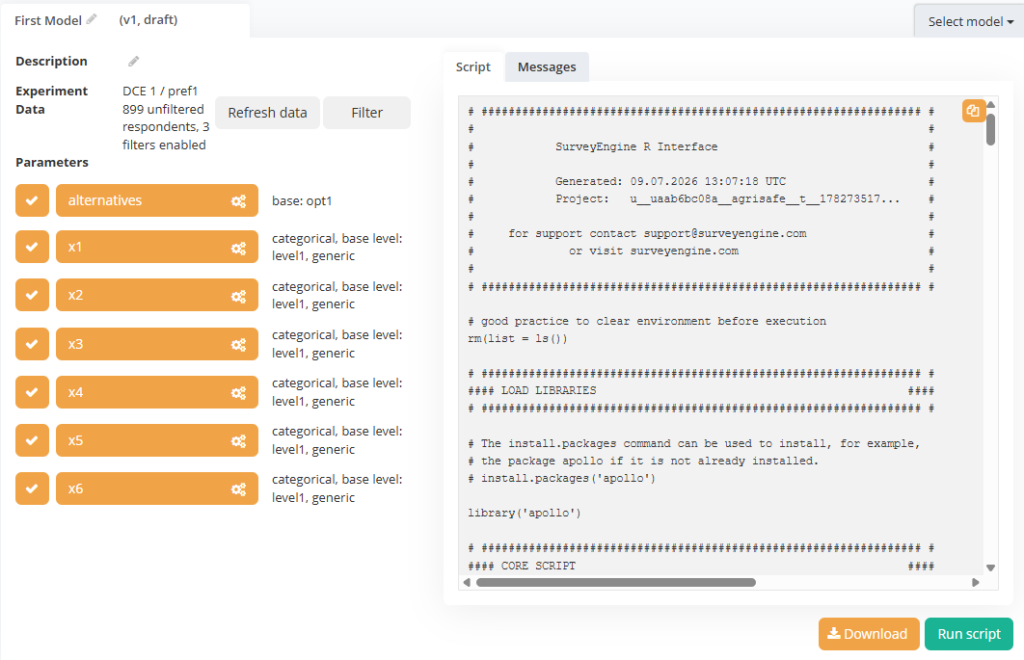
A zero-configuration Apollo script is a good starting point now - and you could just run the script on the bottom right.
Attribute Removal - You can omit certain attributes from the model here by clicking the tick box next to them or. Alternatively you could make changes to the default configuration most happens in the attribute configuration dialog box below.
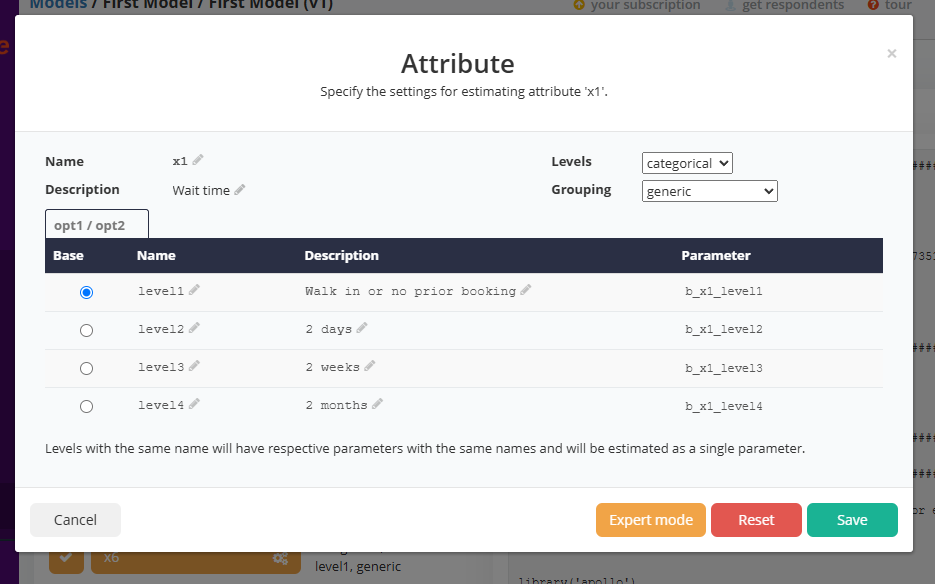
Here you can change
Linearisaton/Categorical - You can change the way the attributes are treated by selected between categorical or linear
Generic/Alternative Specific - You can estimate a single effect (generic) or multiple effects (alt spec) by selecting the grouping
Level names - variable names used in the scripts for each attribute and level can be changes as can the descriptions
More complex subgroupings can be achieved from the expert mode
Other Functions
Download - downloads the current script and data ready for offline analysis in R
Copy Script - at the top right you can copy the valid Apollo script
Running the model
Selecting Run will execute the current R script and produce the model and chart similar to below.
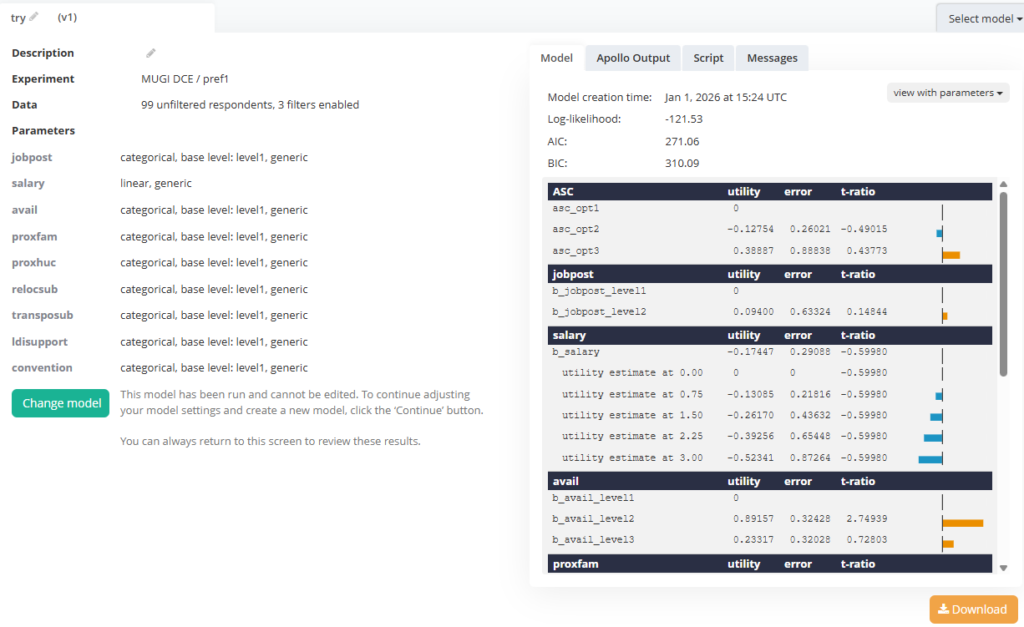
Changing the Level View - you can change the view of the level parameters between: parameters (the names used in the specification), values (the literal linear values if used) or descriptions - that which was show to the respondents.
Download - assembles all the assets, data script and output as a zip for offline review
Output Tabs - you can view the raw Apollo output, the raw script and any diagnostic messages at the top of the right pane
Change Model - this puts you back in the model specification mode - saving your current work and advancing the version number as you develop and refine your chain of model.
Segmentation
Changing the base levels
– a single click and the apollo scripts, models and full downloadable data and scripts are available for offline use.
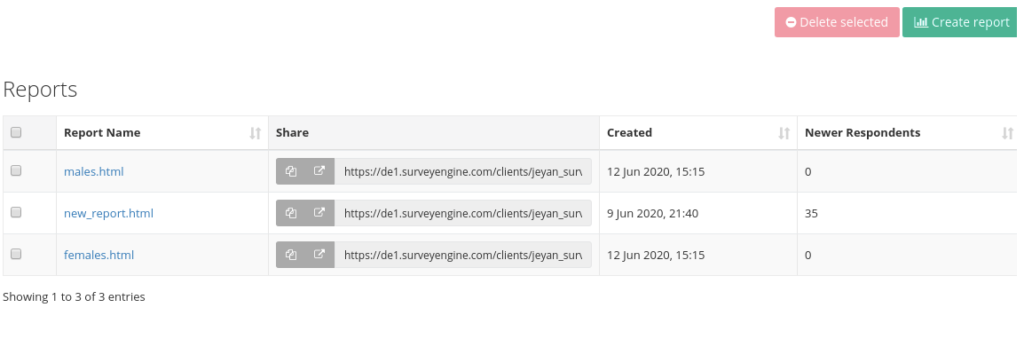
The report screen allows for a snapshot frequency and model report that may be shared or printed.
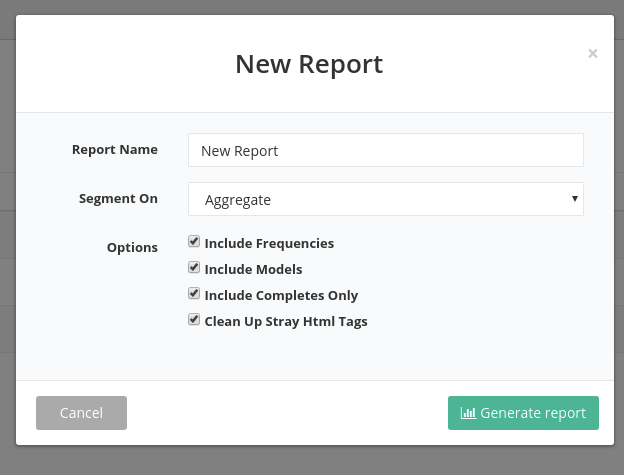
A few additional options are:
- segment on a variable may be chosen so that one report for categorical level is generated. It is possible to write a custom PERL expression to collapse several data points to a segment classification
- include frequencies includes a freqency report for each of the segment seletced
- include models - include automated model building, one per experiment per segment
include completes only - only include respodents who sucessfully completed the survey. Unchecking this will also include screenouts and timeouts - clean up stray HTML - as the report labels are automatically generated from the input content, this option strips out formatting for a cleaner report.